

A lot of people are discovering Claude Code right now. Many are using it for things other than coding—I'm using it as a personal agent to help run my business.
But there was a problem: when I asked Claude to draft an email, iterating on it in a chat conversation felt clunky. I wanted to see from, to, CC, BCC, subject, and the message—all formatted like an actual email.
So I thought: what if Claude had its own monitor?
Claude Canvas
I created a skill called Claude Canvas that lets Claude spawn terminal panes where it can draw interactive interfaces. It's built entirely in the terminal using tmux, so it works anywhere Claude Code runs.
Email Composition
When I'm drafting emails, Claude shows them in a separate pane with proper headers. I can see the full structure at a glance and iterate naturally:
"Draft an email to my co-founder Mark saying I'm excited to see him when he comes to town at the end of January."
Claude renders the email in the canvas. I refine:
"Oh, Jason's coming too. Be sure to include him."
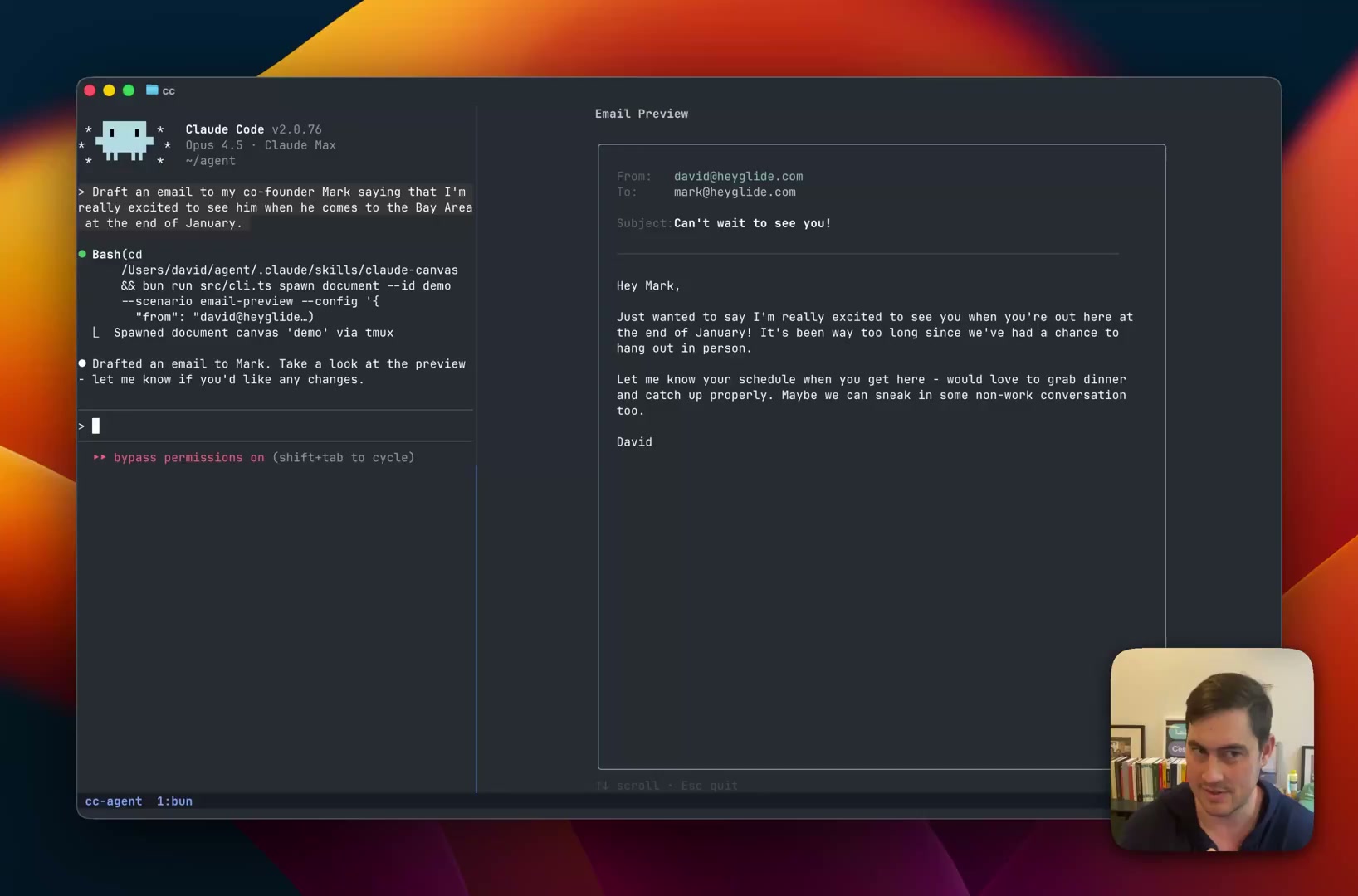
The email updates in real-time—collaborative authorship with a clear visual representation.
Calendar Scheduling
Finding mutual availability in a conversation is painful. When Claude explains "Shay is free Tuesday at 2pm and Thursday at 10am, but you have a conflict on Tuesday..." it's impossible to keep track.
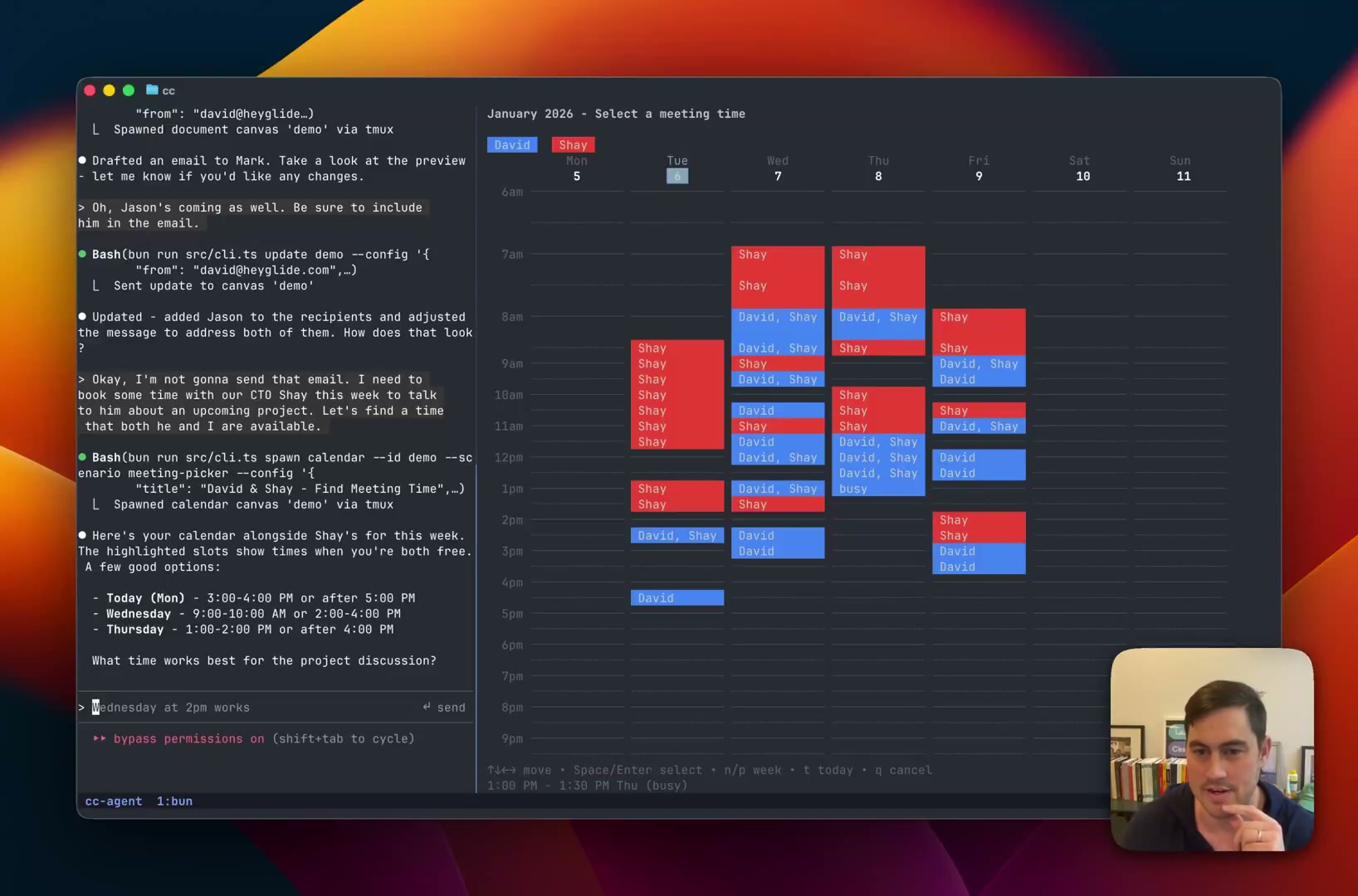
With Claude Canvas, both calendars appear side-by-side with mutual free slots highlighted. Navigate with your keyboard or click to select a time—the selection flows back to Claude, which confirms and books the meeting.
Flight Booking
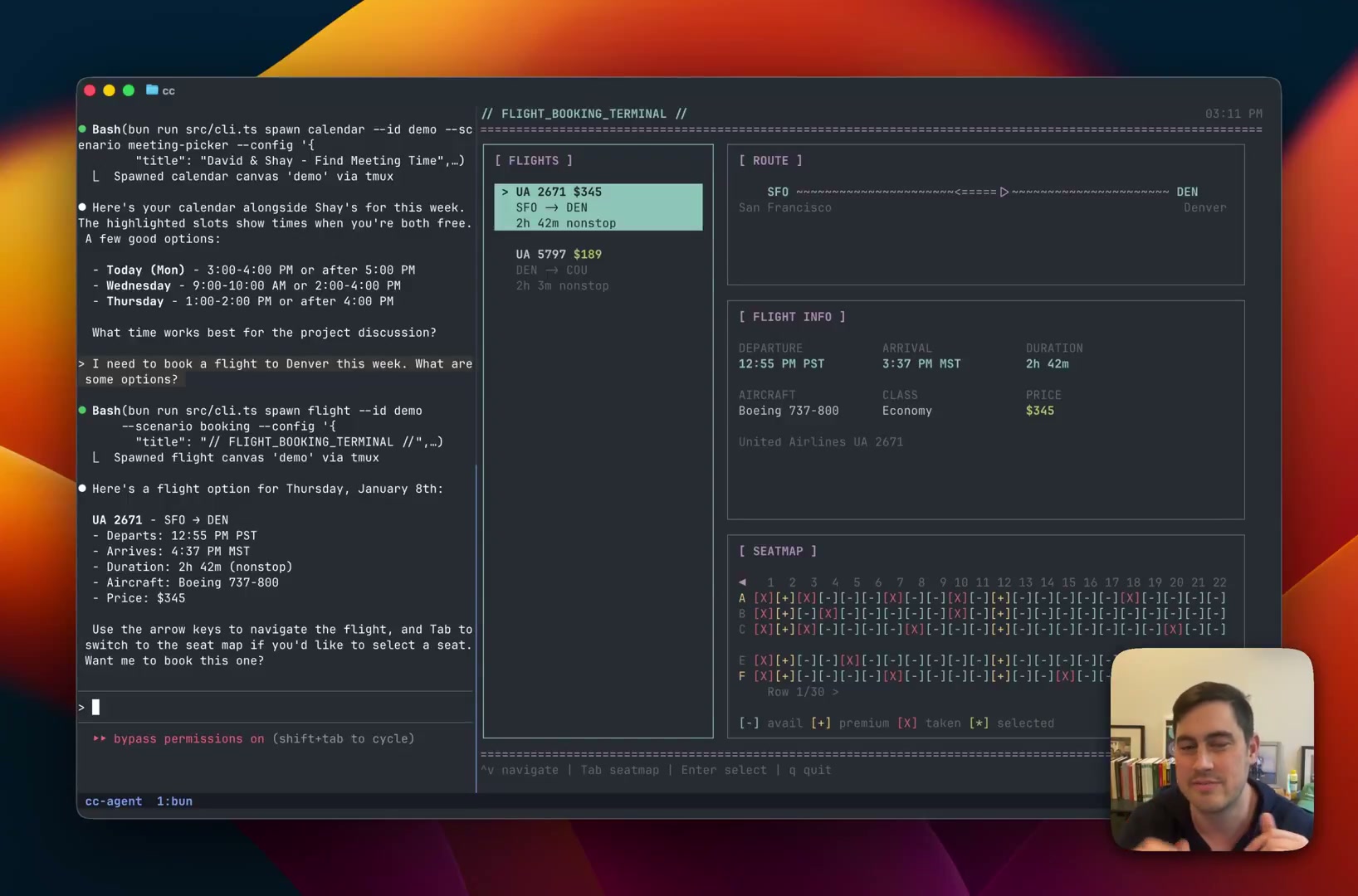
My dream is to have Claude help me book flights. With Claude Canvas, it can show flight options in a terminal interface—complete with seat maps. Browse options, select your seat, and Claude handles the rest.
How It Works
Claude Canvas embraces the terminal. Everything renders in tmux panes using terminal graphics—no web UI or Electron app, just native to the environment where Claude Code already lives.
The canvas is two-way: Claude updates the display, and your interactions flow back. Click a calendar slot, and Claude knows. Select a seat, and it books. This is genuine interactivity, not a read-only display.


